When an educational institution sends a training period invitation, it is important to respond to it. The invitation must either be accepted or declined.
1. Go to the ”Training periods” section
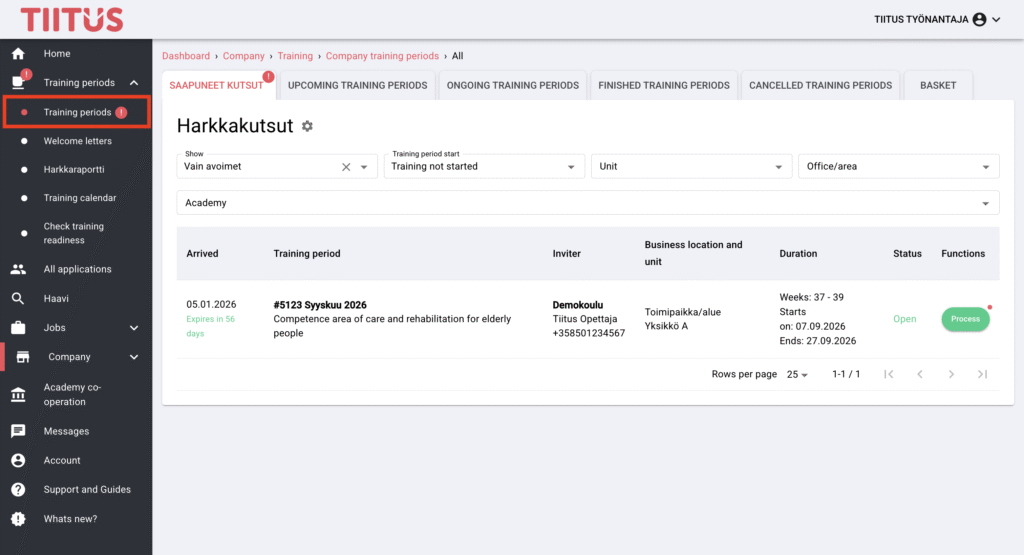
In the left-hand menu, select ”Training periods” under the ”Training periods” section.
Then, in the ”Saapuneet kutsut” view, open the desired period by clicking the name of the training period or the ”Process” button on the right-hand side.
The unit contact person will receive an email notification about new training period invitations. By clicking the link in the email, you can access the incoming invitation directly.
2. Accept or decline the invitation
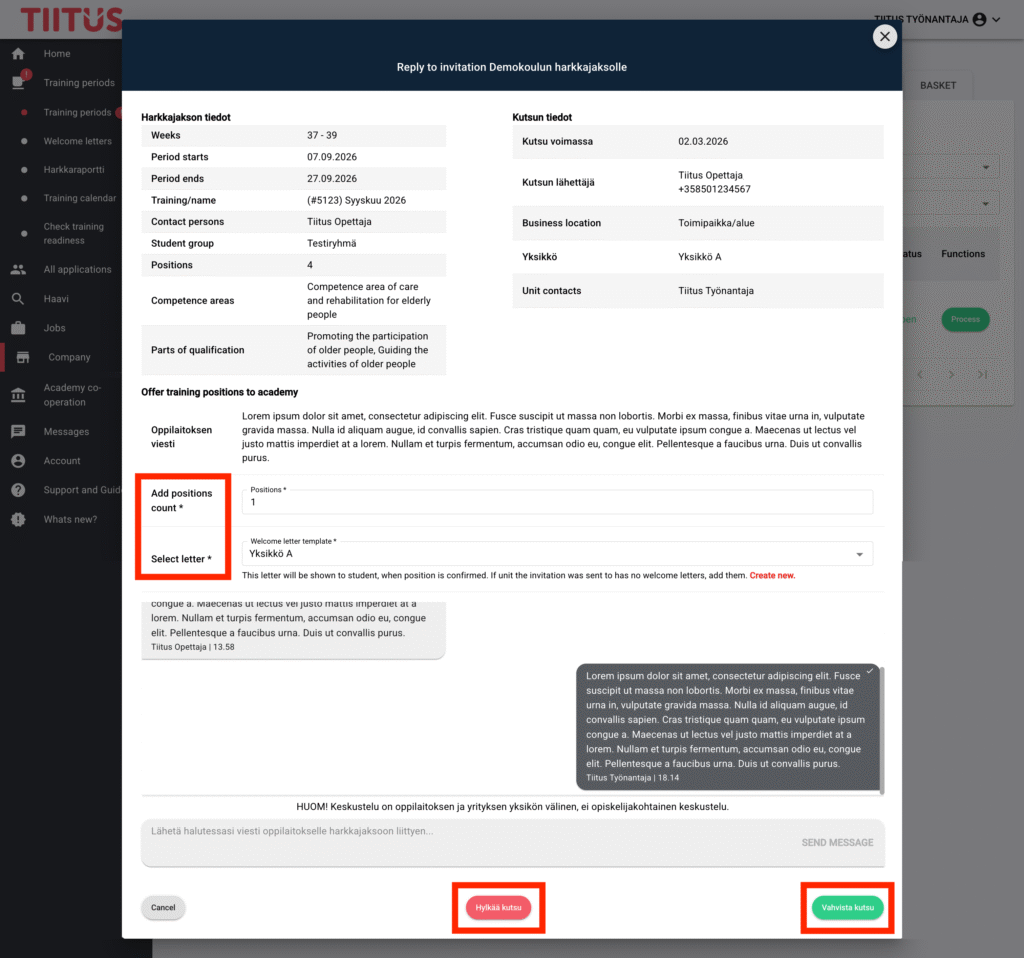
If you are able to offer internship placement(s), enter the number of available places and select a welcome letter. Then, click the ”Vahvista kutsu” button. If you are not able to offer any placements, decline the invitation by clicking the ”Hylkää kutsu” button. You can communicate with the educational institution via the chat.
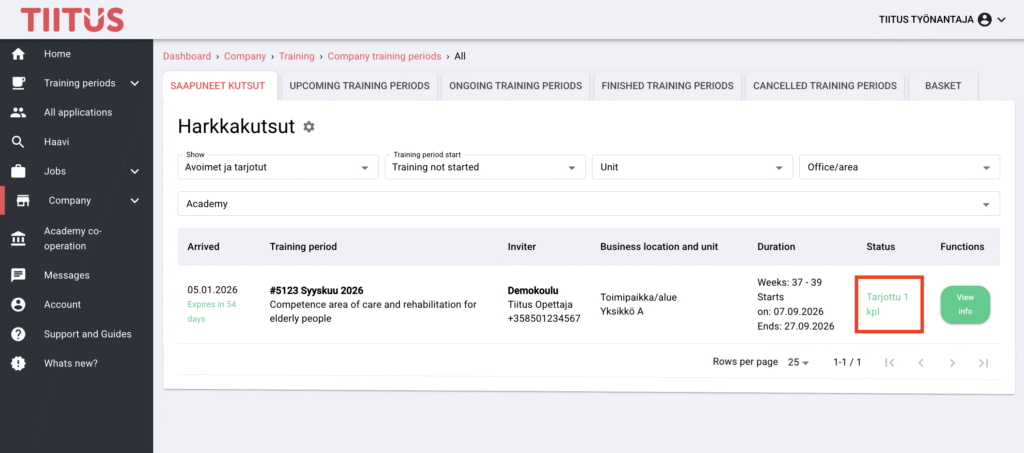
3. Once the invitation is accepted, the number of offered placements is shown in the ”Status” column.
4. After the invitation has been accepted, the educational institution confirms the offered placements. At this stage, the unit’s contact person receives an email notification.
5. After the placements have been confirmed, the educational institution assigns students to the placements and then confirms them. At this stage, the unit’s contact person receives an email notification and can view the training period details. At the same time, the unit’s welcome letter is automatically sent to the student.
