Below you will find instructions on how to create a company account in Tiitus.
Before creating an account, make sure that a company account has not already been created for your organization. If a company account already exists, do not create a new one. Instead, ask your organization’s admin to add a user account for you.
1. Go to the registration page
https://uusi.tiitus.fi/register/?type=employer
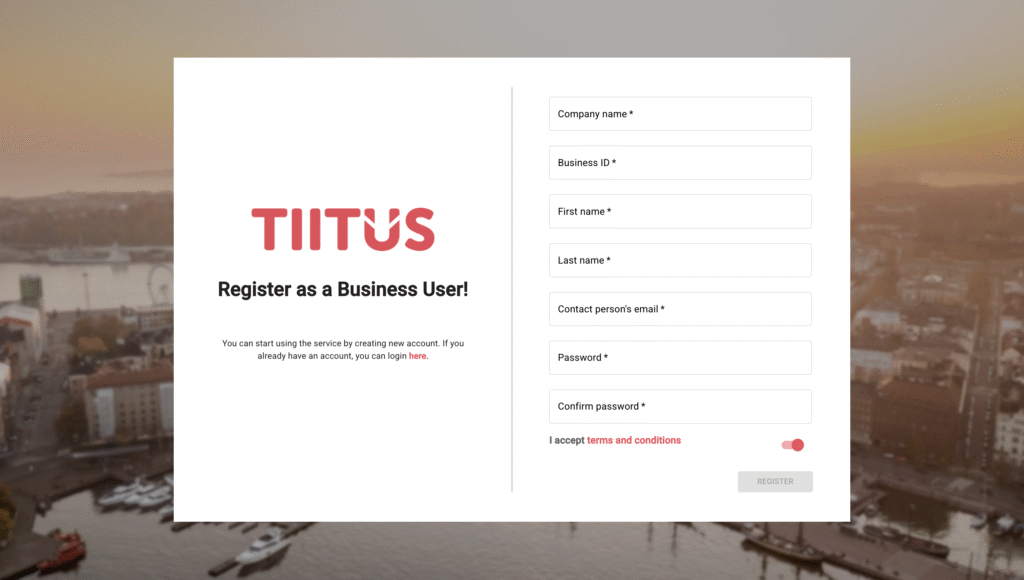
2. Fill in the requested information
Complete the form with the following details:
- Company name
- Business ID
- First and last name
- Email address
- Password and confirm password
3. Accept the terms and conditions
Then click the ”Register” button.
4. Check your email
You will receive a message with a confirmation link. Click the link to activate the account.
5. Company account is now created
From now on, you can log in here:
https://uusi.tiitus.fi/login?type=employer
6. Next, proceed to fill in the rest of the company’s information
You can find detailed instructions here.
